
Updated 15 August 2026
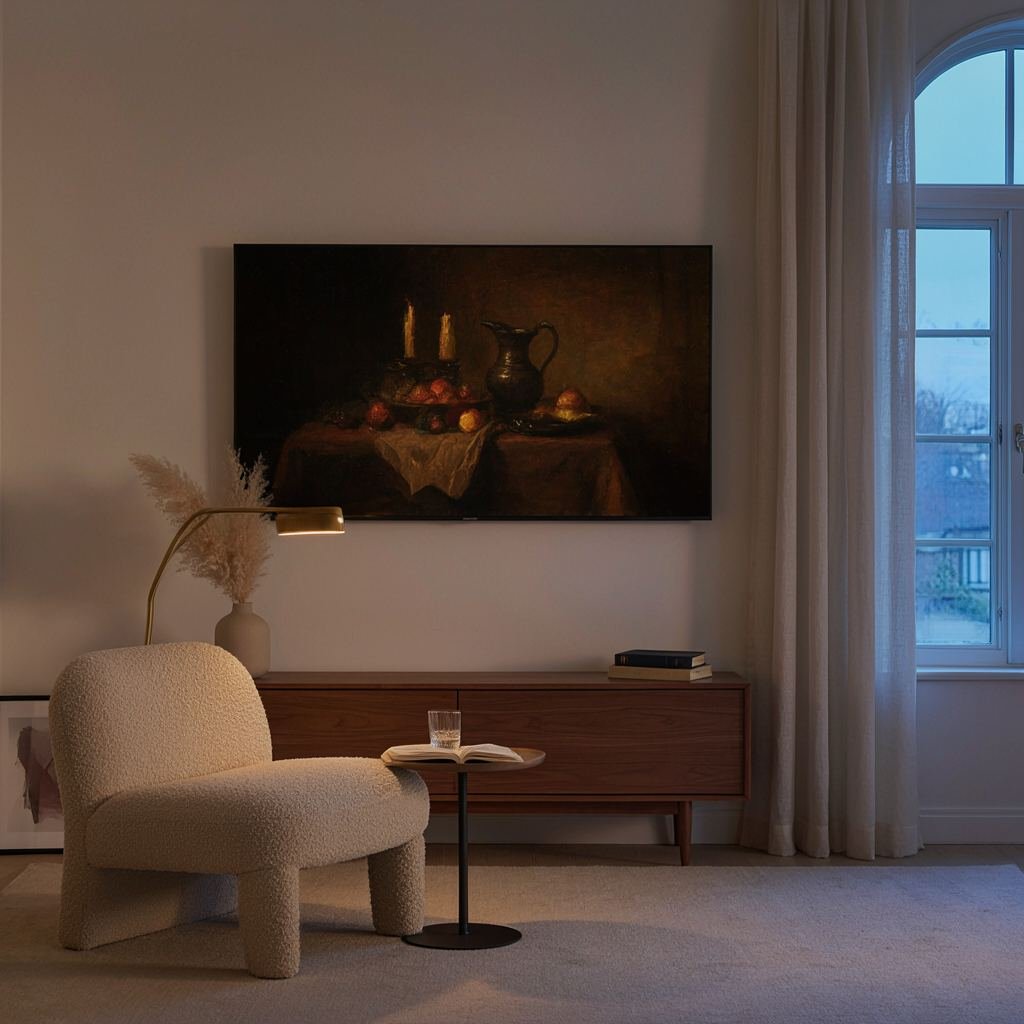
Turn on a Frame TV for the first time and Art Mode looks like it comes fully loaded: a rotating gallery of paintings and photography sitting where a black screen usually would. Then a notification mentions the Art Store, and it is not obvious what is free, what needs a subscription, and whether paying for it is worth doing at all. Here is what the subscription actually costs, what you get without paying anything, and how to load your own art or photos onto the TV for free.
What the Art Store subscription actually costs
Samsung does not publish a single clear price list for the Art Store, so the figure below comes from cross-checking several published reviews against Samsung’s own promotional credit values (a one-year Art Store credit worth up to fifty dollars is bundled with some new Frame TV purchases, which lines up with the same yearly rate). Expect roughly five dollars a month, or about fifty dollars if you pay yearly instead of monthly.
| Plan | Cost | What you get |
|---|---|---|
| Built in (no subscription) | No cost | A rotating selection of free curated art that changes over time, plus unlimited uploads of your own photos |
| Art Store subscription | Roughly five dollars a month, or about fifty dollars a year | The full curated library, thousands of pieces from named artists and photographers, with new additions on a regular schedule |
Is the subscription worth it?
It depends on how you plan to use Art Mode. If the appeal is a large, varied library of real paintings and photography that keeps changing without any effort on your part, the subscription does that well. If you are mainly interested in displaying your own photos, a favorite print, or whatever free art happens to be rotating that month, you can skip it entirely and never pay Samsung anything beyond the TV itself.
How to get Frame TV art without paying for it
Start with the free rotating selection
Every Frame TV includes a set of free curated pieces in Art Mode with no subscription required. Samsung swaps these out periodically, so the free selection is not static, it is just smaller and less predictable than the paid library.
Load your own photos or art (free and unlimited)
Personal photos and art always upload for free, subscription or not, either through the SmartThings app on your phone or from a USB drive. The USB route is faster for loading many images at once: plug the drive into the One Connect Box (not the TV itself), open Art Mode, go to My Collection, select the USB drive, and save the images you want. Resize images to 3840 by 2160 pixels before loading them so they fill the screen properly; a standard USB drive formatted for normal use works fine.
Free and public-domain art downloads
Public-domain art archives and museum collections publish high-resolution scans of paintings that are old enough to be copyright-free, which is a common source for Frame TV owners who want gallery-style art without a subscription. Resize any download to the dimensions above before loading it through the same USB or SmartThings process.
What you need for the USB method
All you actually need is a USB drive with enough space for a few hundred images, which is a small amount of storage by today’s standards. Here are three real, well-reviewed options sized for the job.
| Best for | Product | Price | Link |
|---|---|---|---|
| Two drives, one for backup | SamData 32GB Flash Drive (2-Pack) | $$ · Mid-range | View |
| A trusted, no-frills option | SanDisk 32GB Cruzer Blade | $ · Budget | View |
| Cheapest single drive | SIMMAX 32GB Swivel Drive | $ · Budget | View |
Price: $$ · Mid-range
Two drives for the price of one purchase, which is useful if you want a second copy of your art collection as a backup or a separate set for a different room’s TV.
Pros: two drives included, plenty of space for hundreds of images, an LED light that makes it easy to find in a drawer.
Cons: the two-pack costs a little more up front than a single budget drive.
Skip it if: you only own one Frame TV and do not need a spare drive.
See price on Amazon →
Price: $ · Budget
A well-known name brand at a low price, which matters for a small purchase you mainly want to work without any surprises the first time you plug it in.
Pros: reliable brand, low price, small enough to leave plugged into the One Connect Box permanently.
Cons: no extra features like an LED indicator or a second drive in the box.
Skip it if: you specifically want two drives in one purchase.
See price on Amazon →
Price: $ · Budget
The cheapest single drive of the three, with a swivel cap so there is no separate cover to lose in a drawer.
Pros: lowest price of the three, swivel design keeps the cap attached, enough space for a large art collection.
Cons: a single drive only, no backup copy included.
Skip it if: you want the built-in backup that a two-pack provides.
See price on Amazon →
Choosing your Frame TV size
The subscription question is the same no matter which size you buy, so size really comes down to your room. See our full guide to Frame TV sizes for a size-by-size breakdown and real picks for each.
Frequently asked questions
How much does the Samsung Art Store subscription cost?
Roughly five dollars a month, or about fifty dollars if you pay for the year at once. Samsung does not list this on a dedicated pricing page, so the figure is drawn from published reviews and cross-checked against Samsung’s own promotional credit values for new Frame TV buyers.
Is there a free version of the Samsung Art Store?
Yes. Every Frame TV includes a rotating selection of free curated art with no subscription required, separate from the larger paid library.
Can I upload my own photos to a Frame TV for free?
Yes, and it works whether or not you subscribe to the Art Store. Use the SmartThings app for a handful of images, or a USB drive plugged into the One Connect Box for loading many at once.
What image size do I need for Frame TV art?
Resize images to 3840 by 2160 pixels before loading them. A JPG works well for photographs, and PNG holds up better for graphic art with sharp edges or text.
Does every Frame TV size support the Art Store?
Yes, Art Mode and the Art Store work the same way across every current Frame TV size, so the subscription decision does not change based on which size you buy.
Can I cancel the Art Store subscription anytime?
Yes, it is billed like any other recurring subscription and can be canceled through the account settings on the TV. Canceling drops you back to the free rotating selection, and any of your own uploaded photos stay in place.
How we researched this
Subscription pricing is not published by Samsung on a single clear page, so it was cross-checked across several independent reviews and matched against the value of Samsung’s own promotional Art Store credits, which line up with the same yearly figure. The USB loading steps and image specifications come from Samsung’s own support documentation and were confirmed against independent how-to guides. Every product picture and price above was pulled from real, current Amazon listings researched through Amazon product data, not hand-picked or invented.
As an Amazon Associate we earn from qualifying purchases. Product availability and pricing shown on Amazon are always current there, so check the live listing before buying. Samsung Art Store pricing is set by Samsung and may change; check the Art Store menu on your own TV for the current rate before subscribing.
This site is reader-supported and may earn a commission on qualifying bookings or purchases made through our links, including as an Amazon Associate. Prices and availability shown by our partners are always current on their own site; check the live listing before buying.